
Appearance
[4.5] Creating private pages
It is possible to create a private page or group of pages, accessible only to a specific category of 'Users' (for more on 'Users' see the 'Users' section in this manual). When visiting a page with such permissions set, the user will be asked for a username and password. They will only be permitted to view the page if they have a valid username and password and belong to the User category you have specified (more on this below).
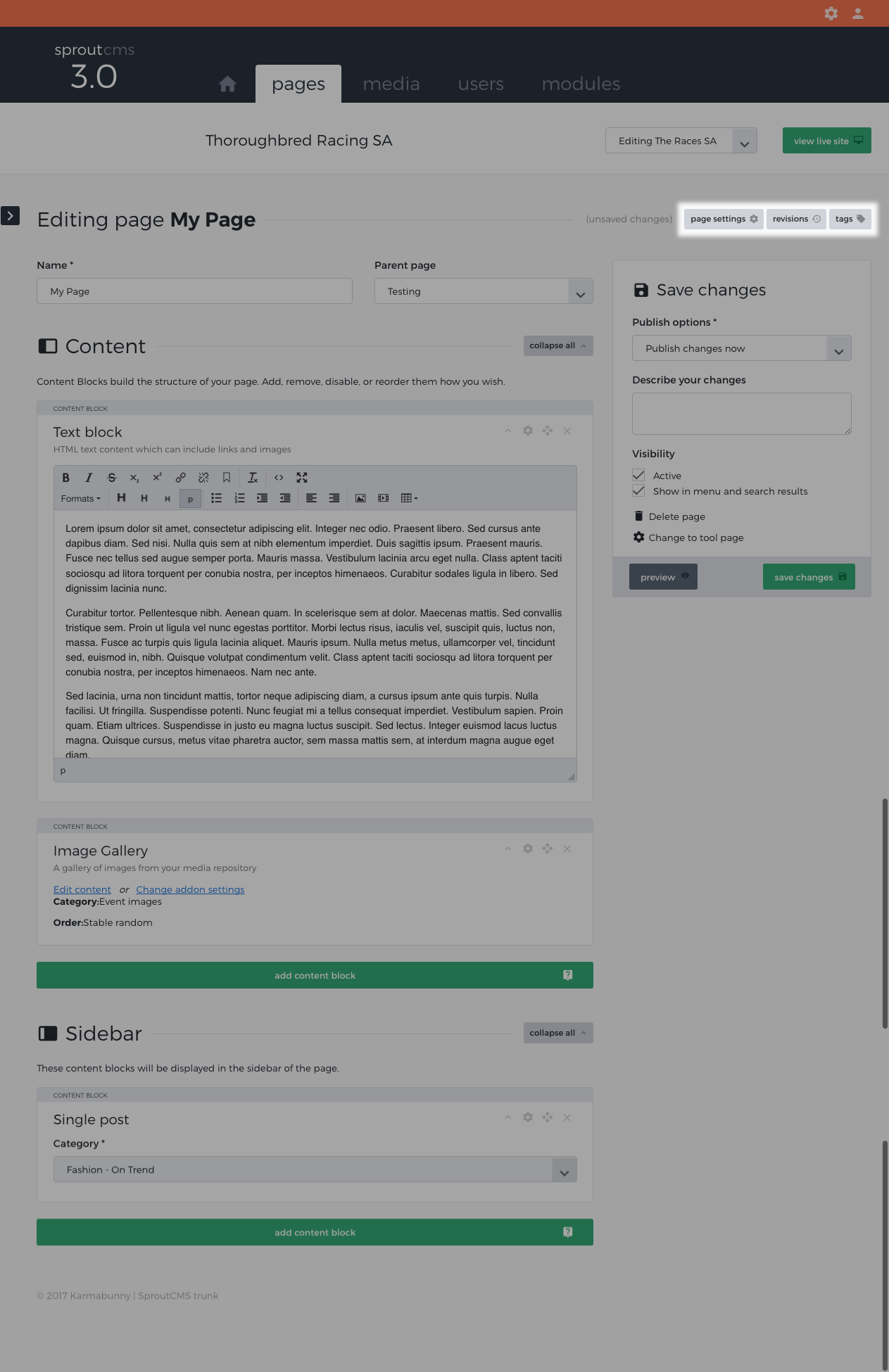
To do this, edit a page and click on the page settings option:
This will load up a view with a number of settings relating to the page. The area you are looking for has the heading 'Who can view this page?'
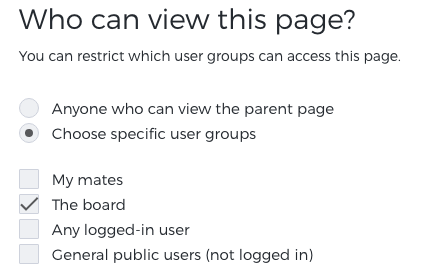
Select the option "Choose specific user groups". These are categories as managed in your Users module.
Select the group that you wish to give access to this page.
Note that these permissions will also be passed on to every child page of this page, effectively allowing you to create whole sections that are password protected.
Important security note
Note that any files that are stored within your media repository will not become 'private' simply because you have linked to them from a 'private' page. If you require your files to be 'secure' and have specific access rights then contact us about getting the 'secure files' module installed.