
Appearance
[5.4] Files - within a module
You can select files which are in the media repository when managing content in other modules.
The files are then linked to the item in the module. An example of this would be adding a feature image to a blog post, or adding a banner image to a page.
Uploading a new file
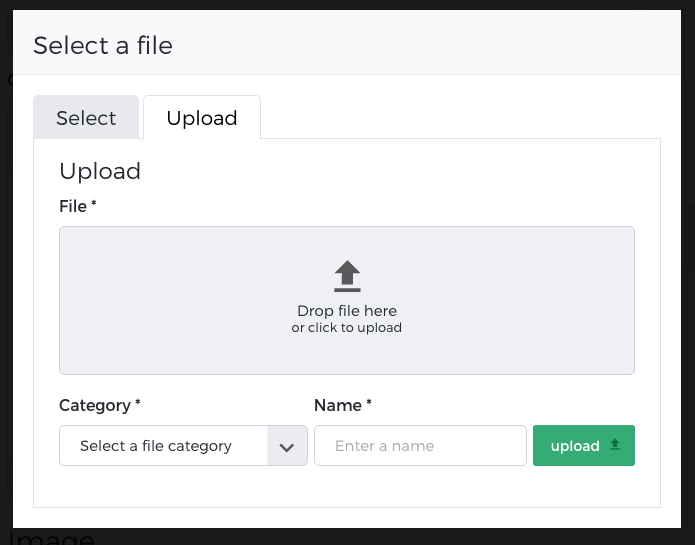
If your file is not in the media repository already you will need to upload it.
- Click on Select a file to bring up the file selection popup
- Click on 'Browse' and choose a file from your computer or local network
- Enter a name for the file
- Choose the category for the file
- Click Upload
Select an existing file
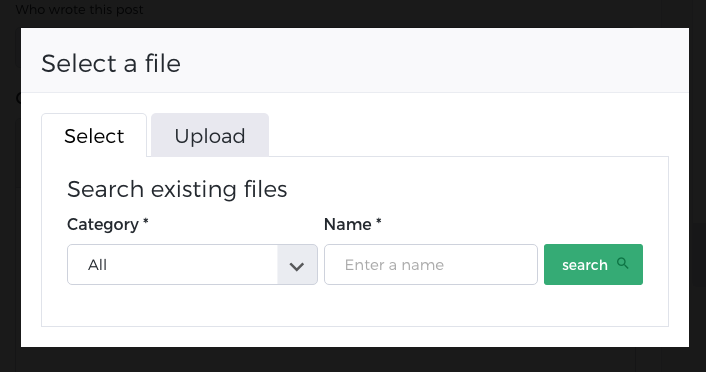
If the file is already in your Media Repository you will not need to upload it, rather you will need to search for it in the file insert popup.
You can search by category, name or both.
- Click on Select a file to bring up the file selection popup
- Choose the category to search (or leave blank)
- Choose the file name to search (or leave blank)
- Click Search
- Select the file from the list of results