
Appearance
[10.5] Sitemap
Overview
A Sitemap is a text list detailing the entire site's structure, including all top-level pages, and any child pages any given page has. To be clear, the sitemap includes all pages on the website and each listing is a link to that page.
Pages not included in the sitemap are:
- Pages whose Visibility has unchecked / disabled Show in menu and search results [you may set a page's visibility while editing the page on the right column side-bar].
- Pages which have been specified only to be visible to logged in users, however they become visible once a user is logged in [you may change which audience may view a page under the page's settings].
Sitemap example:
- Home
- About
- The Team
- The Project
- Helping those in need
- Helping us help others
- Donating to the cause
- Time
- Financial assistance
- Materials
- The Impact
- The Supporters
- Contact
Adding a sitemap
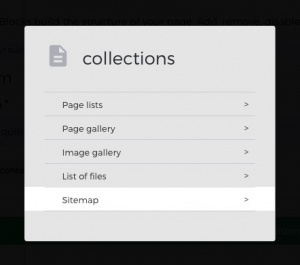
Navigate to the page you'd like your sitemap to appear on. While on the edit page view, select Add content block, and under Collections add the option Sitemap, confirm save changes.
There are no specific settings for this content block / add-on.